Deine Fotos.
Auf den Beat.
Raster wählen, Fotos und Videos einsetzen, Track nehmen — Beatage legt die Collage auf den Takt der Musik und gibt einen fertigen 9:16-Clip aus. Für WhatsApp, Instagram und TikTok. Ohne Konto, ohne Anmeldung, ohne Wasserzeichen-Zwang.
Kostenlos. Beatage Pro optional per In-App-Kauf.
Ein Clip, der zur Musik gehört — nicht nur mit Musik
Die meisten Apps legen einen Song unter eine Diashow. Beatage geht andersherum vor: Es analysiert den Titel zuerst und baut die Collage um dessen Takt herum.
Der Takt bestimmt den Schnitt
Jeder Titel ist vorab auf Tempo und Taktraster vermessen. Die Felder reagieren genau auf den Schlag — nicht ungefähr, sondern auf Millisekunden.
Die beste Stelle statt Sekunde null
Ein Song fängt selten dort an, wo er trägt. Beatage sucht den stärksten Ausschnitt und startet den Clip dort — auf einer Taktgrenze, nie mitten im Ton.
Gleiche Lautstärke bei jedem Titel
Jeder Ausschnitt ist einzeln auf −14 LUFS gemessen. Kein Clip knallt, keiner flüstert — egal welchen Track du nimmst.
Es erkennt, was du gefilmt hast
Stadt, Tiere, Schnee, Sport, Strand — Beatage sagt dir, was es auf deinen Bildern gesehen hat, und zeigt dann die Titel, die dazu passen. Lag es daneben, wählst du die Szene mit einem Tipp selbst.
So funktioniert’s
Vom leeren Raster zum fertigen Clip — meist in unter zwei Minuten.
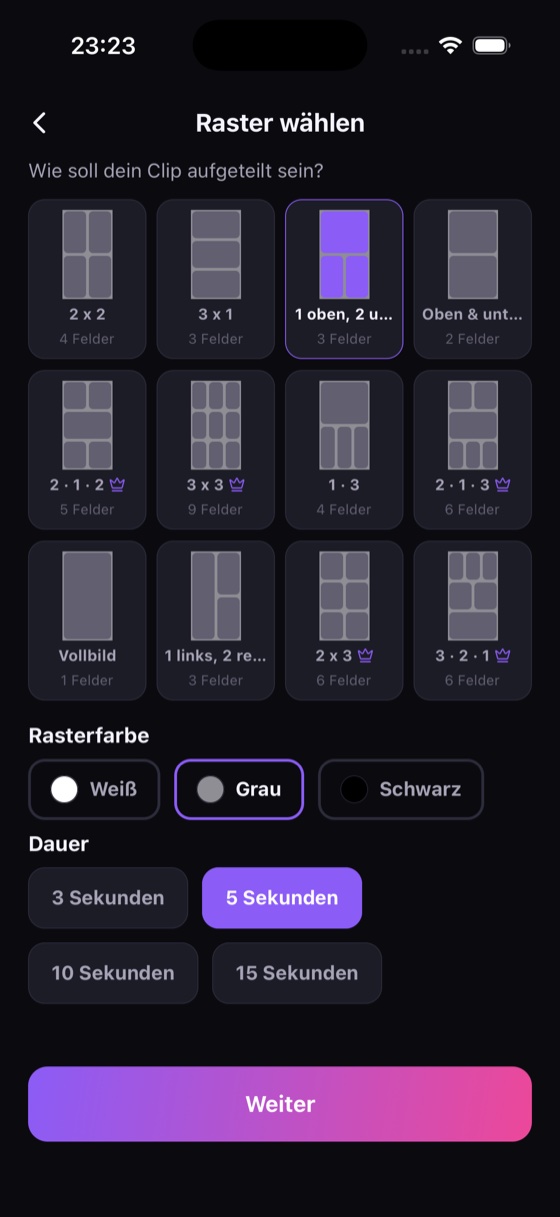
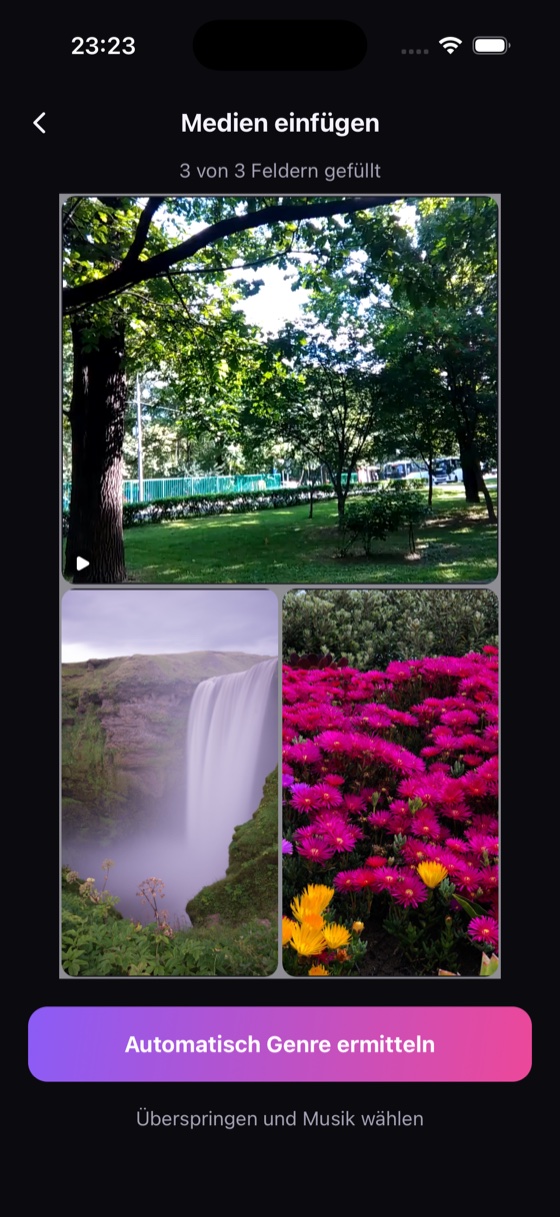
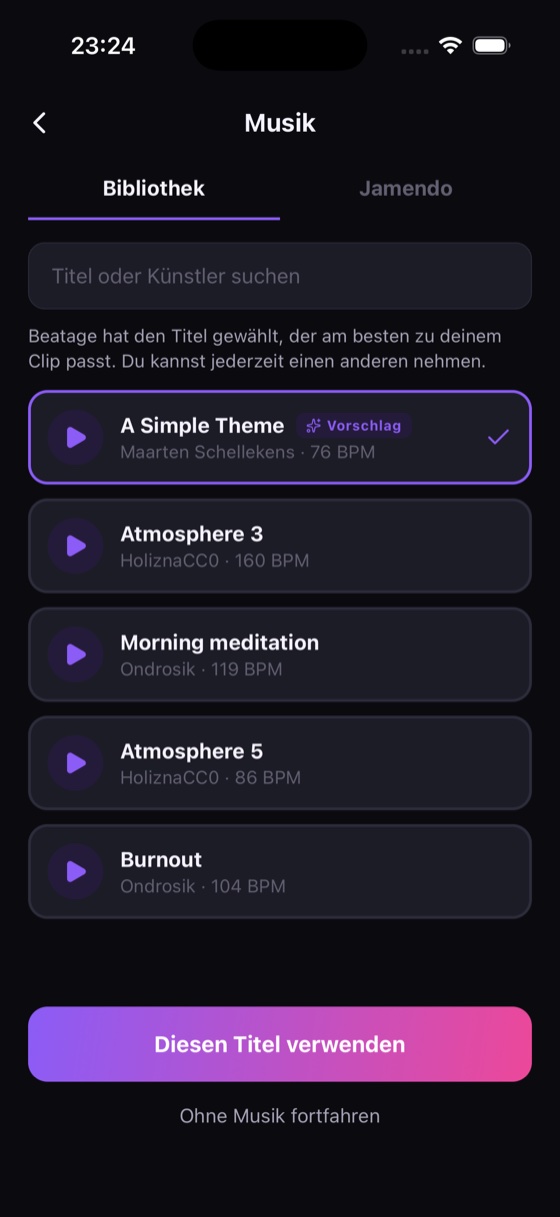
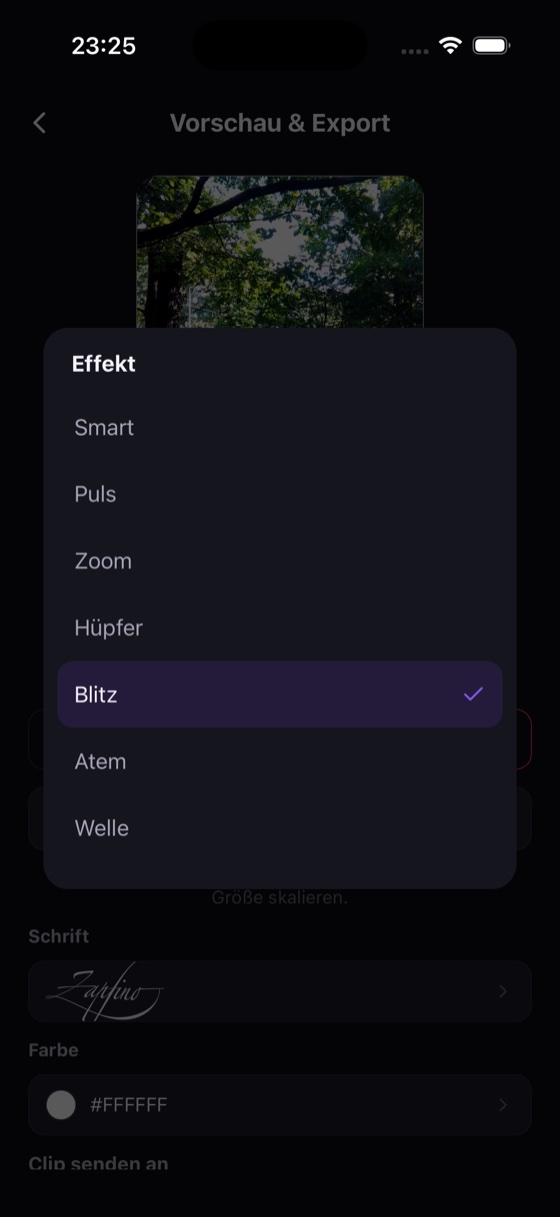
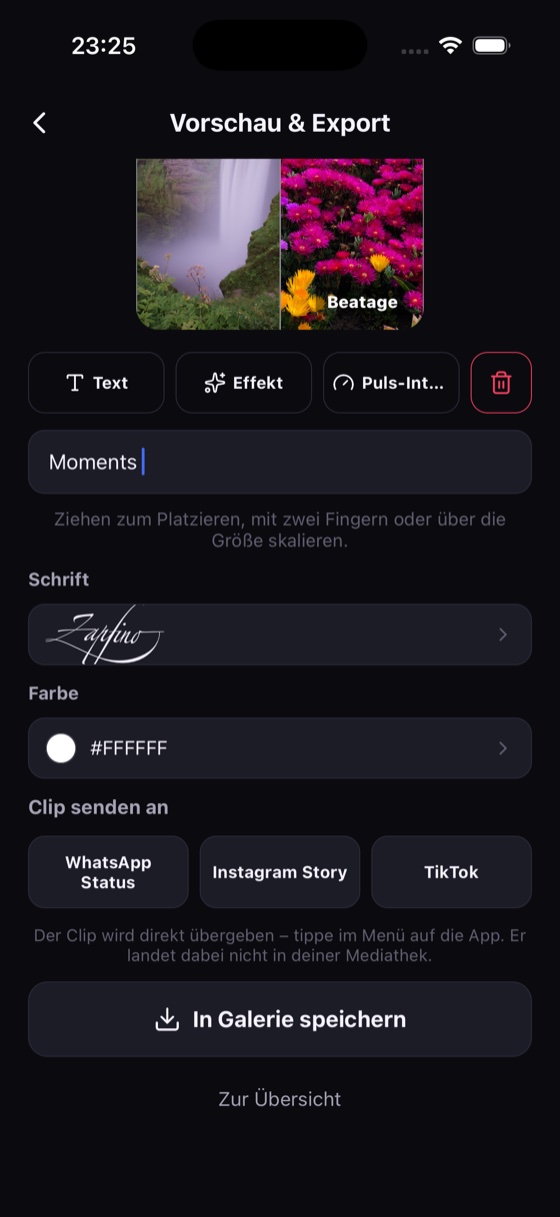
120 Titel, die du überall verwenden darfst
Die gesamte Bibliothek steht unter CC0 1.0 — keine Namensnennung, keine Beschränkung auf private Nutzung, keine Lizenz zu kaufen.
Auch geschäftlich
CC0 kennt keine „nur privat“-Klausel. Ob Urlaubsvideo oder Firmenaccount — derselbe Titel, dieselben Rechte.
Neun Szenen, 120 Titel
Zu jeder Szene gehören mehrere Dutzend Titel, und ausgewählt wird nicht nur nach Schublade, sondern nach Tempo: Sport bekommt Treibendes, Essen bekommt Ruhiges. Jeder Titel wurde einzeln vermessen.
Jamendo als Ergänzung
Wer etwas Bestimmtes sucht, durchsucht zusätzlich Jamendos Creative-Commons-Katalog. Dort gilt die Lizenz des jeweiligen Titels.
Einmal 4,99 €. Kein Abo.
Die Musik, die Beat-Erkennung, alle Effekte, Text und der Export bleiben kostenlos. Pro schaltet vier Dinge frei — einmal gekauft, dauerhaft behalten.
Ohne Wasserzeichen
Der Beatage-Schriftzug in der Ecke lässt sich abschalten.
ProAlle 12 Raster
Auch 3 × 3, 2 × 3 und die mehrreihigen Layouts bis neun Felder.
ProBis 30 Sekunden
Zusätzlich zu 3, 5, 10 und 15 auch 20- und 30-Sekunden-Clips.
ProFull HD
Export in 1080 × 1920 statt 720 × 1280.
ProEinmaliger In-App-Kauf, keine Verlängerung. Gilt auf allen Geräten mit derselben Apple-ID.
Probier’s aus
Kostenlos, ohne Konto, ohne Anmeldung.
Your photos.
On the beat.
Pick a grid, drop in photos and videos, choose a track — Beatage lays the collage onto the beat of the music and hands you a finished 9:16 clip. For WhatsApp, Instagram and TikTok. No account, no sign-up, no forced watermark.
Free. Beatage Pro optional via in-app purchase.
A clip that belongs to the music — not just one that has music
Most apps drop a song under a slideshow. Beatage works the other way round: it analyses the track first and builds the collage around its beat.
The beat drives the cut
Every track is measured up front for tempo and bar grid. The cells react on the beat — not roughly, but to the millisecond.
The best passage, not second zero
A song rarely starts where it carries. Beatage finds the strongest excerpt and starts the clip there — on a bar line, never mid-note.
Every track at the same level
Each excerpt is measured individually to −14 LUFS. No clip blasts, none whispers, whichever track you pick.
It recognises what you filmed
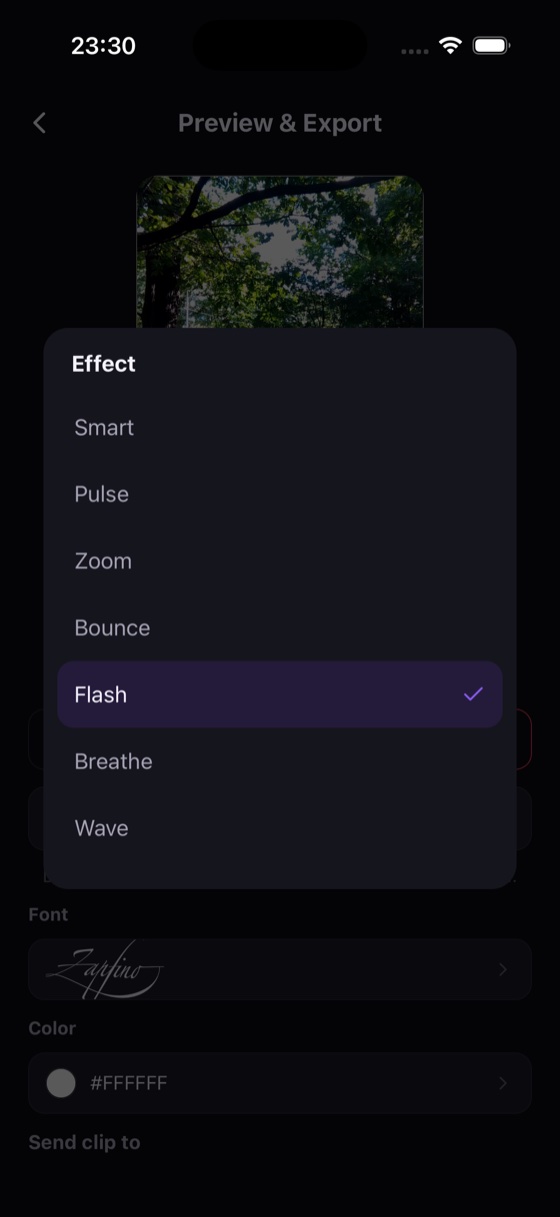
City, animals, snow, sport, beach — Beatage tells you what it saw in your pictures, then shows the tracks that suit it. If it got it wrong, you pick the scene yourself in one tap.
How it works
From empty grid to finished clip — usually in under two minutes.
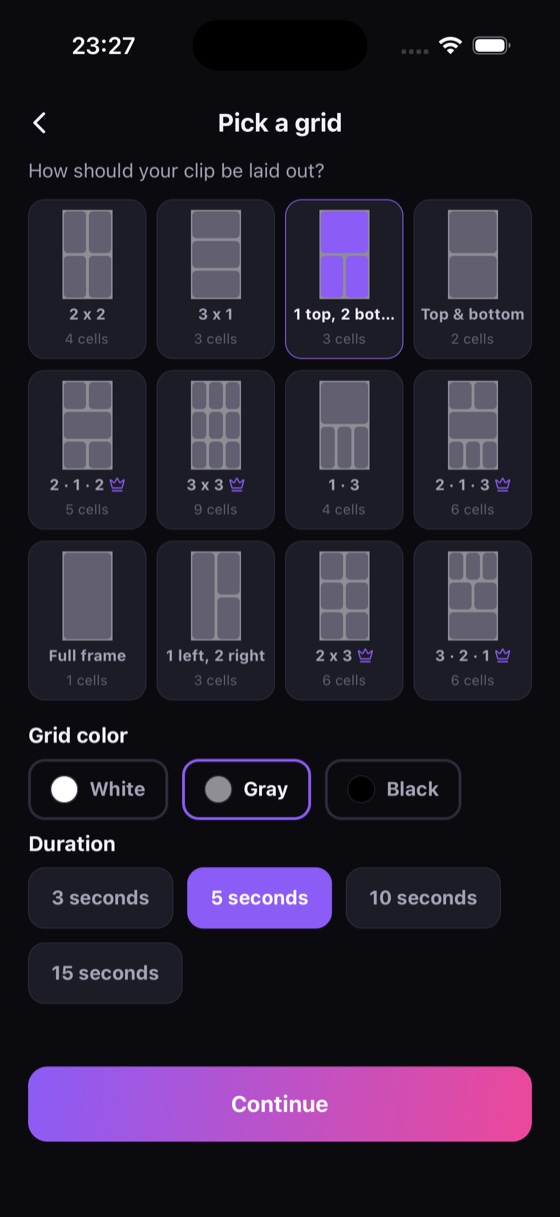
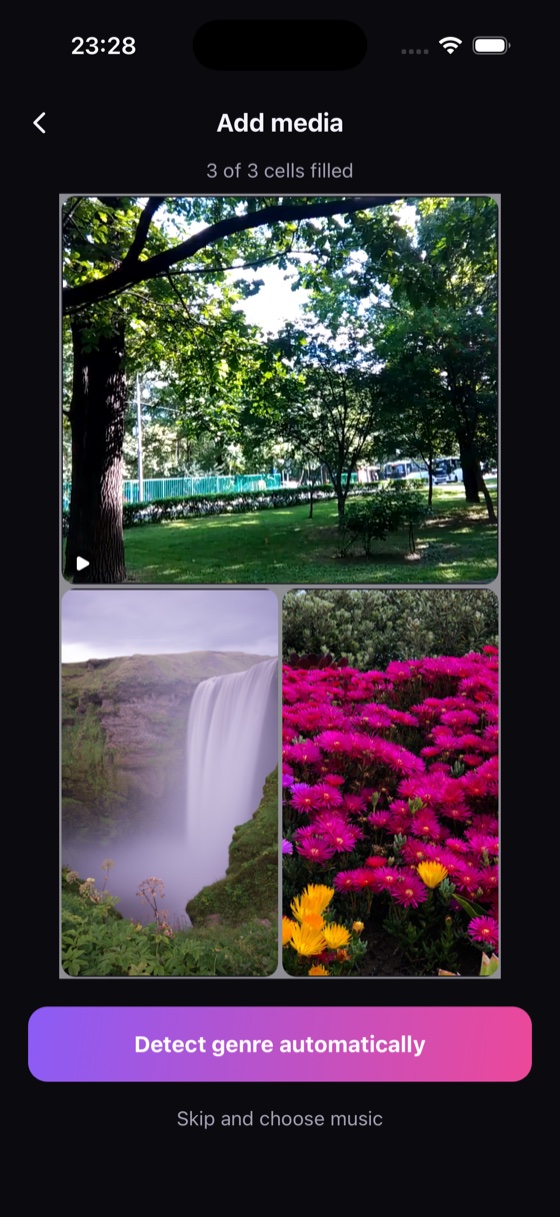
120 tracks you may use anywhere
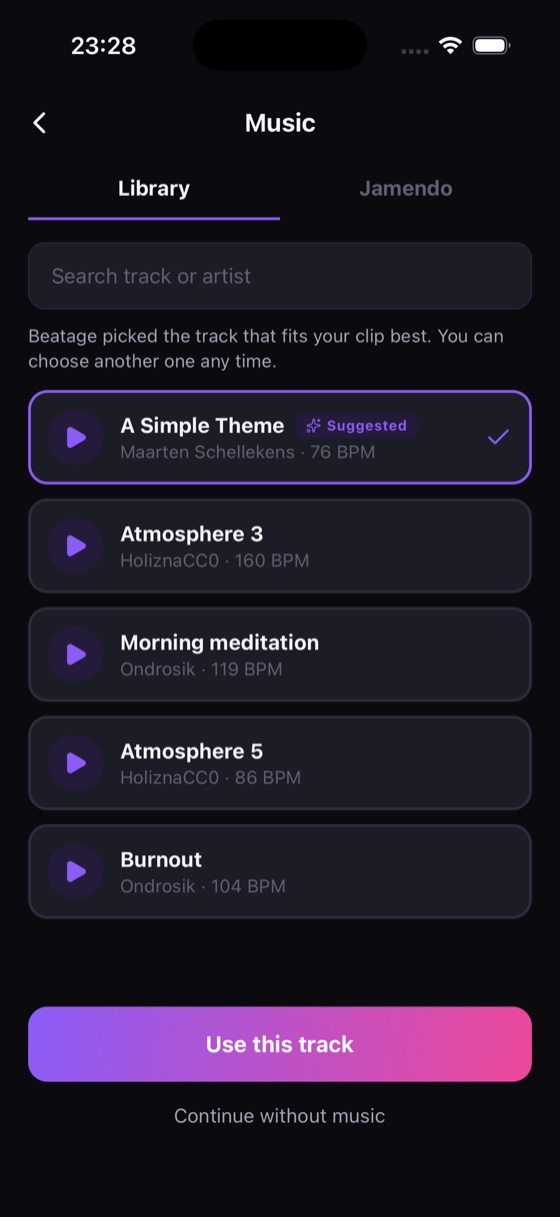
The entire library is licensed CC0 1.0 — no attribution, no non-commercial restriction, no licence to buy.
Commercially too
CC0 has no “personal use only” clause. Holiday video or company account — same track, same rights.
Nine scenes, 120 tracks
Every scene draws on dozens of tracks, and the pick is not by category alone but by tempo: sport gets something driving, food something calm. Each track was measured individually.
Jamendo on top
Looking for something specific? Search Jamendo's Creative Commons catalogue as well. There, each track's own licence applies.
€4.99 once. No subscription.
The music, the beat detection, every effect, text and the export itself stay free. Pro unlocks four things — bought once, kept for good.
No watermark
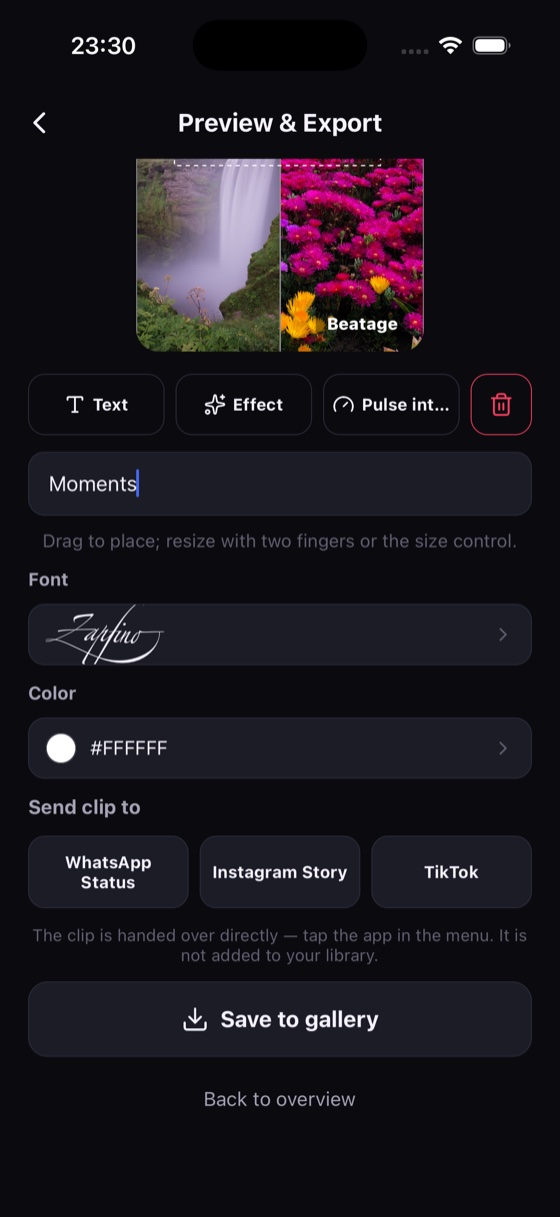
The Beatage wordmark in the corner can be switched off.
ProAll 12 grids
Including 3 × 3, 2 × 3 and the multi-row layouts, up to nine cells.
ProUp to 30 seconds
20- and 30-second clips on top of 3, 5, 10 and 15.
ProFull HD
Export at 1080 × 1920 instead of 720 × 1280.
ProA one-time in-app purchase, nothing renews. Works on every device signed into the same Apple ID.
Give it a try
Free, no account, no sign-up.